
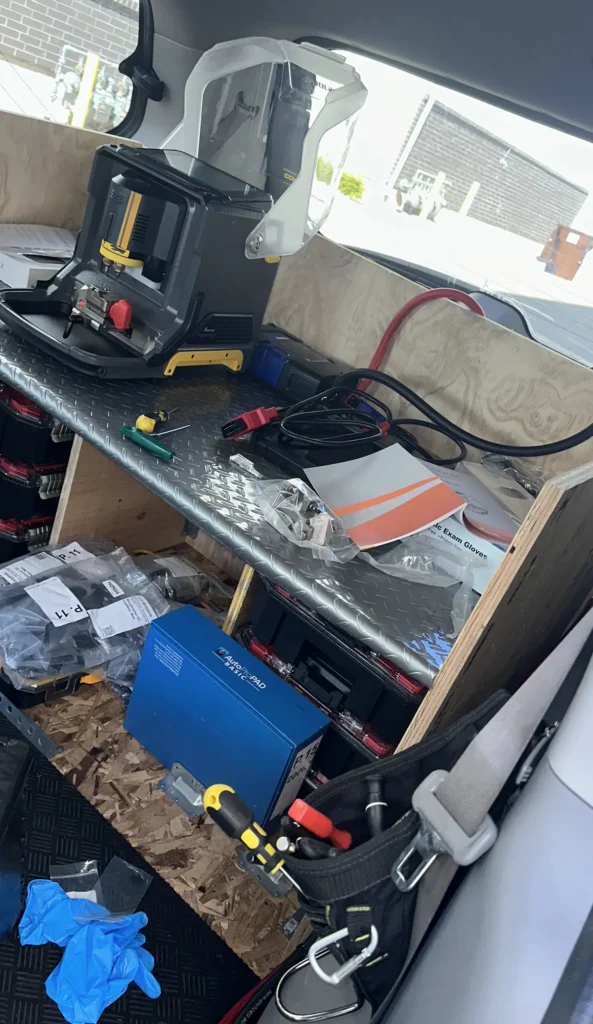
Codes, Batteries and Bolts
ULTRALOQ Smart Lock in Rockville, MD
Call (240) 222-1318 for ULTRALOQ smart lock repair in Rockville when your code fails, the keypad stops responding or the bolt sticks. We come to you for lock repair, owner code setup or replacement installation.
- Mobile service throughout Montgomery County
- Open 24 hours, 7 days a week
- English and Spanish
Get a fast quote
How Your ULTRALOQ Smart Lock Connects Electronic Access to Door Hardware
An ULTRALOQ smart lock combines electronic access with a physical locking mechanism. On a keypad model, an accepted code tells the powered mechanism to operate the lock. The door still needs to close squarely, with the bolt aligned to its opening in the frame; electronic access does not correct a dragging or misaligned door.
The distinction matters when you need a fix: a rejected code, exhausted batteries and a bolt rubbing against the frame point to different problems. Our ULTRALOQ locksmith service covers the brand, while the ULTRALOQ U-Bolt page focuses on that product line. For a version with a keyed cylinder, rekeying changes the physical key that operates the cylinder; it does not change electronic user codes.
Does an ULTRALOQ Smart Lock Suit Your Door and Access Routine?
You Want Code Entry
A keypad-equipped version suits an owner who wants entry through a user code. Choose a model whose owner instructions clearly cover adding, changing and removing the access you intend to use.
Your Existing Door Closes Without Force
A door that closes squarely gives an electronic lock the alignment it needs. A door that requires lifting, pushing or pulling needs its fit corrected before a replacement smart lock can address the access problem.
You Prefer Entry Without Battery Maintenance
Electronic access requires battery care and familiarity with the lock’s controls. A conventional keyed lock is a better fit when you prefer physical keys and do not want to manage batteries or user codes.
Need help now? (240) 222-1318
ULTRALOQ Smart Lock Service for Codes, Sticking Bolts and Replacement
- Installation on an Existing Door — We check the door’s fit, existing preparation and frame alignment before installation. The replacement lock needs compatible mounting dimensions and a clear path for the locking mechanism.
- Lock and Door Repair — We check whether resistance comes from the lock or the door’s alignment. Correcting the source of a sticking bolt addresses the mechanical problem that changing a code cannot fix.
- Owner Code Setup — We help set or change authorized user codes using the controls for the installed model. Testing access with the door open keeps an incorrect setting from leaving you outside.
- ULTRALOQ Smart Lock Reset — A factory reset returns settings to the model’s defaults and requires owner setup afterward. We distinguish a settings problem from a power or mechanical problem before using a reset.
- Rekeying a Keyed Version — Our rekeying service addresses the physical cylinder on a keyed version. This is the relevant service when you want to change which physical key works; electronic access needs its own changes.
- Lockout Service — We provide house and business lockout service when you cannot enter through the lock. Keep the lock’s current settings intact while waiting; a reset can erase access information without correcting the cause.
Keep Your ULTRALOQ Smart Lock Powered and Moving Freely
- Follow the Battery Instructions — Use the battery type and replacement procedure specified for your model. Check polarity during replacement, and address a low-battery warning before electronic entry stops responding.
- Notice Changes in Door Fit — Pay attention when the door starts needing extra pressure to close or the bolt begins scraping. Do not force the motor repeatedly against resistance; the door and locking mechanism need inspection.
- Test Access Changes With the Door Open — After changing a user code, test it before closing the door. Keep your owner credentials secure so you retain control over future access changes.
- Use the Instructions for Your Exact Model — Code controls, reset procedures and backup features differ between models. Keep the correct owner instructions accessible outside the locked space so a dead battery does not also cut off your reference information.
Need help now? (240) 222-1318
Frequently asked questions
Can you fit an ULTRALOQ smart lock to my existing Rockville door?
We provide smart lock installation and check the existing door preparation against the lock’s installation requirements. Door thickness, mounting space and frame alignment determine the fit. A door that drags or needs force to close also needs that mechanical problem addressed.
How do I change an ULTRALOQ user code when I still know my current code?
A working entry code and permission to manage users are separate things; use your model’s owner instructions and required owner credentials. Follow its code-management procedure, then test the new code with the door open. Remove the previous user code separately when that person should no longer have access.
Why is my ULTRALOQ smart lock not working or responding?
An unresponsive keypad points first to a power check, while a motor that runs against resistance calls for a mechanical check. With the door open, follow the model’s instructions to check battery condition and orientation. We inspect the lock and door when restoring battery power does not resolve the problem.
What should I do if I am locked out by an ULTRALOQ smart lock in Rockville?
Call (240) 222-1318 for lockout service. Avoid repeated forced operation or a factory reset while you are outside, because neither addresses every cause of a lockout. We check the access failure and the physical lock as part of the lockout service.
What happens when my ULTRALOQ smart lock batteries run out?
The electronic controls and powered locking functions need battery power, so depleted batteries can stop them from responding. Backup entry and emergency-power features depend on the installed model; follow its owner instructions. Battery replacement addresses lost power, while a sticking bolt or damaged mechanism requires a separate repair.
Get Your ULTRALOQ Lock Checked
Call (240) 222-1318 for a lockout, failed code, sticking bolt or replacement installation in Rockville.